If you’ve been diving into Python, you might have stumbled upon a curious directory called __pycache__. Let’s demystify it a bit!
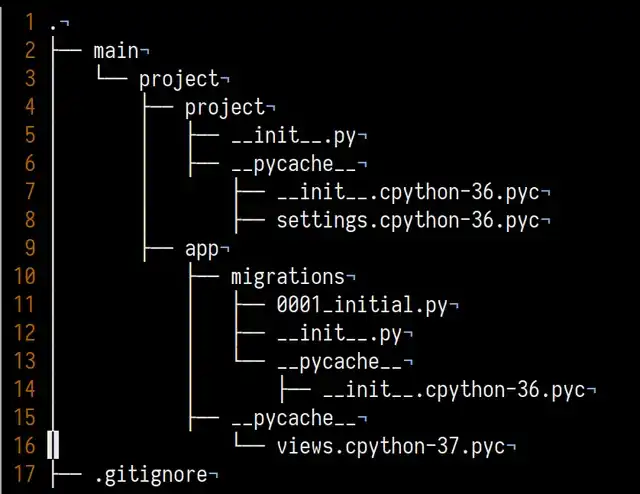 Image source: Reddit
What is __pycache__?
Simply put, __pycache__ is a special folder created by Python. It stores the compiled bytecode files (those ending with .pyc) of your scripts. These are optimized versions of your code, meant to speed up the execution process.
Why is it used?
The main reason for __pycache__ is to boost the performance of your Python programs. When you run a Python script, it gets compiled into bytecode. By storing these bytecode files, Python can skip recompiling on subsequent runs, leading to faster startup times.
What about its naming convention?
Inside __pycache__, you’ll find .pyc files with names like module_name.cpython-version.pyc. This structure ensures compatibility across different Python versions. For instance, example.cpython-39.pyc means it was compiled with CPython version 3.9. There are other Python distributions specific for different use-cases:
- CPython
CPython is the Python reference implementation, the standard version that all other Python incarnations look to. CPython is written in C, as implied by the name, and is produced by the same core group of people responsible for making top-level decisions about the Python language.
- Anaconda Python
Anaconda, produced by Anaconda Inc. (formerly Continuum Analytics), is designed for Python developers who need a distribution backed by a commercial provider and with support plans for enterprises. The chief use cases for Anaconda Python are math, statistics, engineering, data analysis, machine learning, and related applications.
- ActiveState Python
Like Anaconda, ActiveState Python is created and maintained by a for-profit company—in this case, ActiveState, which markets a number of language runtimes along with the multi-language Komodo IDE.
- PyPy
A drop-in replacement for the CPython interpreter, PyPy uses JIT compilation to speed up the execution of Python programs. Depending on the task, the performance gains can be dramatic.
and many more.
When does it get created?
__pycache__ pops up automatically when you run a Python script that imports another module. If you’re running a standalone file, it doesn’t show up. If the relevant .pyc files don’t exist yet, or if the source file has changed since the last run, Python will compile the source code and store the bytecode in __pycache__.
Should You Delete pycache?
You may wonder whether it's safe to delete the "pycache" folder. In most cases, it's entirely safe, as Python will recreate it as needed.
However, there are some scenarios where you might want to keep it:
- Development: During development, it's convenient to keep "pycache" to benefit from faster module imports. Deleting it won't harm your code, but it might slow down imports temporarily until Python recreates the bytecode files
- Deployment: When deploying your Python code, you can safely omit the "pycache" folder. It won't affect your production environment, and it can save space.
So, __pycache__ is a behind-the-scenes helper in Python that enhances the performance and compatibility of your code. It automatically stores compiled bytecode, making your Python programs run faster.